
 I'm thrilled to be speaking at two WordCamps in the next two months. First I'll be on a panel this weekend at WordCamp Reno about the future of web typography. I can not wait for my first time in Reno and to meet all the fabulous WordPressers there. Secondly, in July I'll be making a pilgrimage back to my native Massachusetts to speak at WordCamp Boston. I'll be giving a talk on "Theming & Mobile: Optimizing your WordPress site for Various Devices." I am absolutely thrilled that I have the opportunity to not only attend but speak at these fabulous WordCamps. If you're in those areas, please come and say hi to me!

Here is a post that I wrote over on the Scout Blog, syndicated over here just in case you didn’t catch it over there.
We have recently launched an exciting new site for Christian & Small Attorneys and Counselors. The law firm came to Scout for not only a new website but for help with branding and positioning — both internally and externally. They are a really capable firm, full of amazing people and have a wonderful focus on the community. If you haven't seen the donation website we made for them yet, make sure you check out the post for the NonstopAdvocates.com site.
Simplicity of Design
Christian & Small has close to 50 attorneys with several different practice areas. We designed a website where communicating their expertise is the focus. We organized everything simply and made information readily available and easy to digest, all while keeping the character and integrity of the brand.
Customized WordPress Content Management System
Because Christian & Small has so many attorneys and so much content, we decided that the best fit for them would be a custom tailored WordPress backend. This set up allows designated C&S staff members, with no coding skills to easily add attorneys, edit practice areas and add photos. This ability to edit and add content internally saves money and over time, reduces the total cost of ownership of the website.
We used custom post types to organize the admin as well as create custom meta boxes for special information. This makes adding content easy.
We also added the ability to connect Attorneys to their respective practice areas dynamically, as well as their associated resources. This bridging of content really makes WordPress a true CMS.
Check out the website for yourself: CSAttorneys.com



 The awesome Sally Strebel of Page.ly interviewed me as part of their WP Heavy Hitter Series. Read the article on their blog. Let me know what y'all think. I've never done an interview like that before! Also, check out their awesome WordPress hosting as well. Thanks Sally!

We had a great turn out for the Birmingham WordPress Meetup Group evening on Custom Post Types & Taxonomies.
Chris Reding (@creding) not only took us through registering your post type, but why you should use it, and the power and control that you can give the user beyond a post or a page. See his slides below:
Custom post-types & taxonomies
View more presentations from Christopher Reding
Next, Bill Robbins (@billrobbins) shared with us the practical application of CPT's on the front end. He took us through how we can display our CPT's and dynamically query from our data using conditional goodness. Check out his slides below:
Custom Post Types--Front End
View more presentations from Bill Robbins
Overall, it was a great turn out with enthusiastic WordPresser's. We hope to have more meetings coming up. Sign Up Here if you want to be in the loop and know about upcoming WordPress events in Birmingham!
I've been using CSS3 Columns for various purposes lately. I've been really loving it. Especially how easy it is to manipulate from 3 to 2 or 1 count with media queries. More on that stuff later. The purpose of this post is mainly to share with you (and document) how to use this in WordPress and only when your content is over a certain length. (what is the point of having three columns if there only one to three lines each?!)
first of all: make sure you have your CSS3 columns setup for the first div class:
[code]
.article-col{
-moz-column-count: 3;
-moz-column-gap: 40px;
-moz-column-rule: none;
-webkit-column-count: 3;
-webkit-column-gap: 30px;
-webkit-column-rule: none;
column-count: 3;
column-gap: 40px;
column-rule: none;
}
[/code]
and then here is how you explode your the_content(); - get your word count - and then change the div class depending on the limit.
[code]
ob_start();
the_content();
$content = ob_get_clean();
$numWords = sizeof(explode(" ", $content));
$limit = 100;
if( $numWords > $limit ){
echo '<div class="article-col">';
}
else {
echo '<div>';
}
the_content(); ?>
[/code]
your $limit can be set to whatever your design is comfortable with. also, you can class that second div with something else (you can do something creative like change the div from two col to three col depending on the word count.)
More on css3 columns:
http://www.alistapart.com/articles/css3multicolumn/
Love and use this to make it work in IE:
http://www.csscripting.com/css-multi-column/
Thanks @joncave and @petemall for brainstorming this a bit with me.
sara

Here is a post that I wrote over on the Scout Blog, syndicated over here just in case you didn't catch it over there.
Pushing The Boundaries: Harp Law LLC
We are so pleased to announce the launch of Harp Law, LLC. Greg Harp came to us with his vision and style and asked us to give him a site that just suits him perfectly. We are not only pleased with the tailored design, but the functionality of the site goes beyond measure.
Greg is always on his iPad and iPhone and wanted a site that would display his content well, no matter what device he was using. We decided to give him the very best and build in automatic device adaptation into the heart of the code. Utilizing the technique called "Responsive Web Design", no matter if he's on an iPad in Landscape Mode to an Android or an iPhone in Portrait Mode, Greg's content and brand is going to put its best foot forward.
Q: Did you really tweak his site on all the various devices and resolutions?
A: Yes.Q: Doesn't that take up a lot of time?
A: Yes, it does. But in the long run, it is worth it. Greg will now never have to worry about making a custom mobile site or if things are showing up right on the iPad. We've even built in touch swiping into the slide-show. Here at Scout, we want to make the future of good web design practices, a standard reality now.Check Out The Website: HarpLawLLC.com

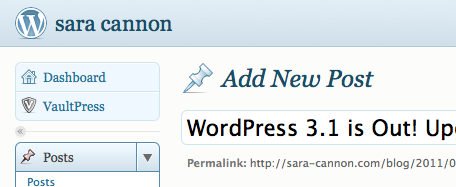
WordPress 3.1 is out! Upgrade! I'm so proud of being involved in this cycle. I was able to get involved in the UI Group and contribute this time around. If you've upgraded, go to your user and hit the blue admin theme! you'll see my contribution: a fresh new light blue upgrade. :) I feel so privileged that I was able to work with the UI group to make this change. It feels so good to be able to contribute back to the incredible platform that I love so much.

While there are many awesome new features in WordPress 3.1 (you can read the post from Matt here) one of my favorites is internal linking.
Here is an awesome video made by Jon Cave that illustrates the process.
Road to WordPress 3.1 from Jon on Vimeo.
Thank You to everyone who helps make WordPress better!!!
sara
2010 has been an incredible year. It had its ups and downs. some parts were really hard and others just joyous! I've met some incredible people this year and got plugged into a great community that surrounds the very platform that this blog (and my livelihood) is based on: WordPress. Its been quite the journey. I've stumbled into great opportunities that led me to go many places and meet many new friends.
1/8-9 - WordCamp Atlanta
(Post on my talk: WordPress and Your Brand)
5/1-2 - WordCamp San Francisco
(I just went to this one: Recap Post1, Post2)
8/20-22 - WordCamp Savannah
(Post on my talk: Customizing WordPress themes / Child Themes)
9/18-19 - WordCamp Birmingham
(Post on my talk: Beyond the System Font: Advanced Web Typography) Other Post
10/16-17 - WordCamp NYC
(Post on my talk: Typography and Your Theme)
In conclusion: 2010 rocked my WordPress world. Thank you to everyone who has mentored me and guided me in the word of WordPress. And, absolute special thanks to those who contribute in any way to the release and improvement of this incredible software. - sara


 I just have to say, this is incredible if you work in WordPress and use coda: http://pradador.com/code/coda/wordpressmode/
also, here are some WordPress clips for coda: http://coda-clips.com/category/wordpress
Thanks Dan!
Also, completely unrelated: this site is a great representation of responsive web design: http://hicksdesign.co.uk/
and I just love the colors and the awesome use of jQuery in this one: http://www.seattlesbest.com/
What are some sites you've been loving recently?
sara
Sara Cannon is a Product Designer crafting thoughtful digital experiences - from software products to film | UI • UX • Web • Brand
She's also an Artist.
Do you have a project she can help you with? Contact Sara at sara@saracannon.com.